
WhatsApp Business API for Small Businesses in India: 2026 Guide
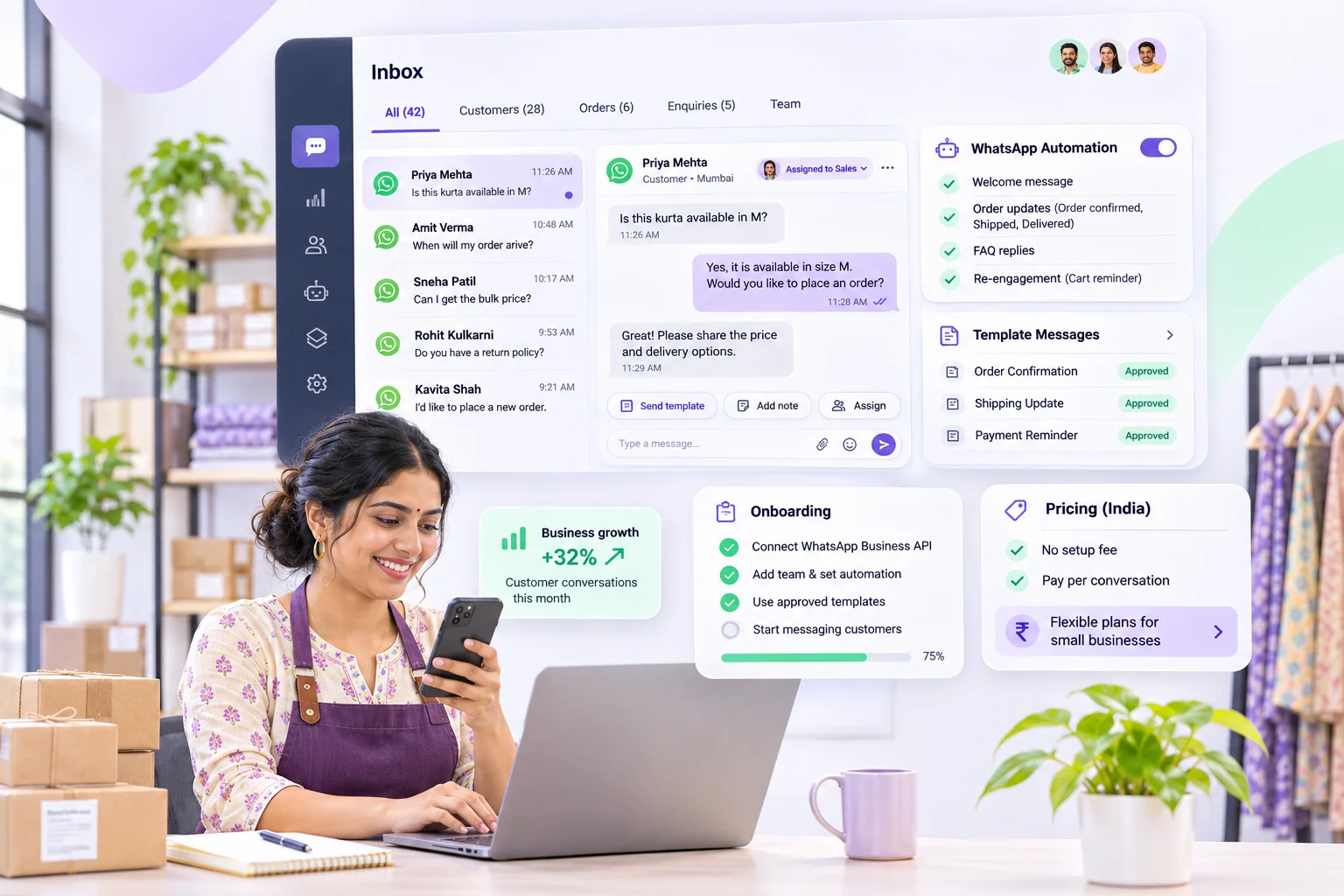
Your customers are already on WhatsApp. But if your business still manages every enquiry, follow-up and promotional message manually, you're probably spending more time on conversations than you should. For Indian businesses, the challenge isn't always getting people to message—it's managing those conversations without losing opportunities.
At Bitmint Lab, we're building Notiq, a WhatsApp automation platform designed to make business messaging simpler for Indian SMBs, D2C brands, marketing agencies and coaches. Here's how the API works, what it costs and what to look for before selecting a platform.
What is the WhatsApp Business API?
The WhatsApp Business API, part of Meta's WhatsApp Business Platform, allows businesses to connect messaging with software systems. Unlike the standard WhatsApp Business app, it is designed for structured workflows such as multi-agent support, integrations, approved campaigns and automation.
An online store might send order updates; a coaching institute might manage admission enquiries; a service team might assign incoming messages in a shared inbox. The API is infrastructure provided by Meta. The dashboard, inbox and automation tools usually come from the software platform you choose.
WhatsApp Business App vs API: What's the difference?
The free WhatsApp Business app works well for one-to-one conversations managed by a small team. An API-based setup is worth considering when message volume, follow-ups and team coordination become harder to manage.
| Feature | WhatsApp Business App | API with software |
|---|---|---|
| Best fit | Manual, smaller-volume conversations | Growing teams and workflows |
| Collaboration | Limited | Shared inbox and agent tools, by provider |
| Campaigns | Basic app-based messaging | Approved templates and campaign tooling |
| Automation | Greeting and away messages | More advanced provider workflows |
| Costs | Free app | Meta charges plus possible platform fees |
API capabilities depend on provider configuration and Meta account eligibility.
Why Indian small businesses are considering automation
Many customers would rather ask a quick question by WhatsApp than fill out a long form. The difficulty begins when dozens of enquiries arrive during a campaign and staff must remember who asked about pricing, who needs a call and who has already received a reply.
A shared inbox helps teams track ownership, conversation status and handoffs. Automation can help with repetitive questions like opening hours, available batches or order updates, provided the business supplies reliable information. It should also make human intervention easy when a request needs judgment.
Follow-ups are another challenge. A buyer who asked for a quotation today might decide next week. Organized reminders and consent-based messaging workflows can help businesses follow up more consistently, without relying on memory alone.
Practical WhatsApp API use cases for Indian businesses
D2C and e-commerce brands
Online sellers can use eligible messaging workflows for order confirmations, shipping updates, customer-service questions and consent-based promotional campaigns. Clear transactional updates are often a good first workflow because their purpose is easy to understand.
Coaching institutes and education businesses
Education teams can organize enquiries about fees, batch timings, courses and admission procedures. A structured process for assignment, reminders and human follow-up is often more useful than a complicated chatbot at the start.
Marketing agencies
Agencies need clear separation of client accounts, campaigns, access permissions and reporting. When evaluating a provider, ask how each client's data and messaging permissions are managed.
Local service businesses
Consultants, repair services and appointment-based businesses can explore reminders, booking-related communication and enquiry management. Every workflow must respect Meta policies, customer consent and applicable law.
WhatsApp Business API pricing in India: what actually costs money?
Pricing becomes confusing when a software subscription is advertised without explaining the separate messaging charges. In practice, businesses should distinguish Meta's applicable WhatsApp messaging rates from the software provider's fees.
Meta pricing depends on factors including message category, destination and its current rules. Categories such as marketing, utility and authentication serve different purposes. Meta introduced per-message template pricing in July 2025, so older conversation-based rate tables may be misleading. Check the official Meta WhatsApp pricing documentation before budgeting.
Provider costs may include subscriptions, team seats, onboarding, integrations and AI usage. Some providers add their own margin to underlying message charges. Ask for a breakdown of each component rather than comparing headline monthly subscriptions alone.
| Category | Example purpose |
|---|---|
| Marketing | Promotions and eligible re-engagement |
| Utility | Order or account-related updates |
| Authentication | Verification and sign-in codes |
| Service | Customer-service communication subject to Meta's rules |
Why we're building Notiq
Many Indian businesses don't need another complicated dashboard. They need a practical way to organize customer conversations, prepare campaigns and understand the bill. That's the direction behind Notiq's upcoming WhatsApp marketing platform, built by Bitmint Lab.
Our product priorities are a clean interface, guided onboarding and smart automation workflows. We are also designing Notiq around zero hidden markup on Meta's underlying WhatsApp API messaging rates, with software fees and any applicable additional charges clearly separated. This is a pre-launch pricing commitment we're working toward—not a promise of free messages.
Planned capabilities include campaign workflows, reusable templates, organized conversations and AI-assisted communication. Individual features, eligibility and release availability will be confirmed as the platform approaches launch.
How to choose WhatsApp marketing software
Before committing to a provider, check the real workflows your team needs and ask for a demonstration. This checklist will help you compare alternatives without getting distracted by vague feature claims.
- Can you clearly separate Meta rates from software fees?
- Can your team learn the interface quickly?
- What onboarding approvals or account requirements apply?
- Are campaign templates and automated workflows included in your plan?
- What limits apply to users, messages, integrations and AI?
- How does the provider protect customer data and handle support?
- Can you test your real use case before committing?
Getting started: a simple implementation plan
1. Choose one high-value use case
Start with a workflow such as admission enquiries, order updates or lead follow-ups—not every possible automation at once.
2. Estimate messaging volume
Separate promotional messages from transactional updates and support interactions. This helps forecast both Meta and platform charges.
3. Review opt-in and privacy
Make sure you have appropriate consent for each message type and a practical way to honor opt-outs.
4. Prepare business and account details
Gather the information required for Meta setup and check WhatsApp number eligibility before starting onboarding.
5. Pilot and measure
Test templates, team handoffs, customer responses and actual costs on a small scale before expanding.
Frequently asked questions
Is the WhatsApp Business API free in India?
The usual Meta Cloud API setup does not require a separate Meta access subscription, but applicable messaging charges may apply. Businesses may also pay a software subscription, integration fees or AI usage charges.
What is the best WhatsApp marketing software for small businesses in India?
It depends on message volume, team size, budget and needed workflows. Compare pricing transparency, usability, onboarding requirements, support and integrations rather than headline claims alone.
Can I send bulk marketing messages with WhatsApp Business API?
Eligible businesses can send approved marketing templates, subject to Meta policies, messaging limits and appropriate customer consent. Unsolicited promotional messaging is not a sustainable strategy.
Do I need coding knowledge to use WhatsApp Business API?
Not always. Many platforms provide onboarding tools and dashboards, though custom integrations or complex automation may require technical assistance.
Make WhatsApp work better for your business
Sending more messages isn't the goal. The goal is to respond consistently, organize customer relationships and reduce repetitive work without confusing costs. That's what we're building toward with Notiq.
Notiq is pre-launch. If you're exploring WhatsApp automation for your business, visit the Notiq WhatsApp automation platform and explore early access.
Notiq is a product of Bitmint Lab, a software product studio building scalable SaaS and AI tools.
Pricing and policies can change. Check current Meta rates, account eligibility and platform availability before making purchasing or campaign decisions.